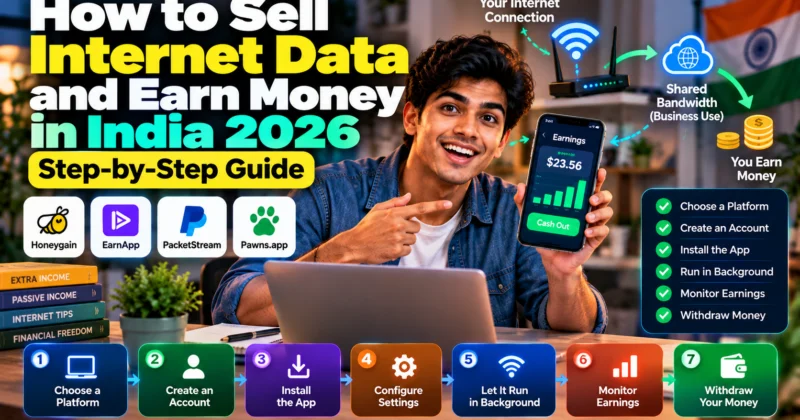
Can you really sell unused internet data and earn money? Yes—but the phrase “sell internet data” is often misunderstood. You are generally not selling your personal files, photos, passwords, or browsing history. Bandwidth-sharing platforms allow you to share part of your unused internet connection and compensate you when eligible traffic is routed through your connection.
The process is relatively simple: choose a legitimate platform, create an account, install its application, connect an authorized internet connection, let the service run, monitor your usage and earnings, and withdraw when you reach the platform’s payout requirements.
However, your earnings are not guaranteed. They can vary based on your location, connection, demand, uptime, device, platform rules, and network limitations.
What Does “Sell Internet Data” Actually Mean?
“Selling internet data” can mean different things online, so it is important to define the term before installing anything.
In the context of bandwidth-sharing apps, you are generally monetizing unused internet bandwidth rather than selling personal information.
For example, suppose your broadband connection is capable of handling much more traffic than you normally use. A bandwidth-sharing platform may allow verified business customers to route eligible traffic through your connection. The platform tracks the qualifying usage and credits your account according to its current payment model.
This is different from a company collecting and selling your personal information such as your name, shopping history, browsing activity or other consumer data.
The exact technical implementation differs between platforms, so always read the platform’s current privacy policy and terms before participating.
How Does the Process Work?
The basic flow looks like this:
- You choose a platform.
- You create an account.
- You install the official application.
- You connect an internet connection you are authorized to use.
- The application runs in the background or according to the platform’s requirements.
- Eligible traffic may be routed through your connection.
- The platform records qualifying activity.
- Your account balance increases according to the platform’s payment model.
- You withdraw after meeting the applicable payout requirements.
That sounds straightforward, but there is an important distinction:
Having the application running does not mean you will constantly receive traffic or earn money.
Demand can vary by location, IP address, connection quality, time, platform and business requirements. Some platforms also calculate earnings using different models.
What Do You Need Before You Start?
You do not need a sophisticated computer or a separate business to begin. But you should check a few things first.
1. A stable internet connection
A stable connection is more useful than simply having a high advertised speed. Frequent disconnections, aggressive throttling or network restrictions can reduce the amount of eligible traffic your connection can handle.
2. An authorized connection
You should only use an internet connection that you own or are explicitly authorized to use.
For example, do not install bandwidth-sharing software on:
- Office Wi-Fi without permission
- College or university networks without authorization
- Public Wi-Fi
- A friend’s connection without their permission
- A rented network where the provider prohibits this activity
This is both a security issue and a terms-of-service issue.
3. A supported device
Platform support varies. Depending on the service, you may be able to use Android, Windows, macOS, Linux or other supported environments.
4. A suitable internet plan
This is particularly important with mobile data.
If your mobile plan has a limited data allowance, bandwidth-sharing traffic can count toward that allowance. Earning a small amount while consuming expensive mobile data can produce a negative financial result.
5. A supported payout method
Before spending time setting everything up, check how the platform pays users, the minimum withdrawal amount, processing time and any applicable fees.
Broadband vs Mobile Data: Which Should You Use?
This is one of the most important decisions for someone starting in India.
Unlimited or high-capacity broadband
Broadband can be easier to evaluate because you may have substantially more available data than you would on a limited mobile plan.
However, “unlimited” does not automatically mean unrestricted. Your ISP may have acceptable-use policies, traffic-management rules or terms governing bandwidth sharing.
4G or 5G mobile data
Some bandwidth-sharing services support mobile connections. But there is a major difference between having a large mobile data allowance and having genuinely unused data.
If the bandwidth-sharing application consumes data from your mobile plan, that usage can count against your plan’s allowance. Therefore, you should set limits where the platform provides them and monitor your data consumption.
Simple rule: Do not use expensive or limited mobile data for bandwidth sharing until you have calculated whether the resulting earnings make financial sense.
Step 1: Choose a Platform Carefully
Do not choose an application simply because a YouTube video or social-media post claims that it pays the most.
Instead, check:
- Official website and application
- Current terms of service
- Privacy policy
- Supported countries
- Supported devices
- Current payout methods
- Minimum withdrawal amount
- Device and IP restrictions
- Network requirements
- Whether your ISP permits the activity
- How the platform calculates earnings
For this guide, the examples below use Honeygain, EarnApp and PacketStream because they publish current documentation about their bandwidth-sharing systems.
That does not mean every user will earn the same amount from them, or that one platform is universally suitable for everyone.
Step 2: Set Up Honeygain
Honeygain is one example of a bandwidth-sharing platform that allows users to share unused internet bandwidth through supported devices.
Its current documentation lists support across platforms including Android, Windows, macOS and Linux. Honeygain says earnings depend on factors such as location, connection and demand.
The general setup process is:
- Create an account through the official Honeygain service.
- Download the application for your supported device.
- Install the application.
- Sign in to your account.
- Connect the device to the internet.
- Allow the application to operate according to its settings.
- Monitor your traffic and balance.
- Use the available payout method when you meet the current withdrawal requirements.
Honeygain currently states that its standard payout threshold is $20, while its payout options have expanded beyond PayPal and cryptocurrency to include additional gift-card options through its updated payout system.
Because payout options can change, verify the available options inside your account before relying on a particular method.
Step 3: Set Up EarnApp
EarnApp provides another example of how bandwidth-sharing applications work.
Its current setup instructions are straightforward:
- Register an EarnApp account.
- Download the appropriate version from your dashboard.
- Install the application.
- Link the installation to your account.
- Keep it running according to the platform’s requirements.
- Monitor your activity and earnings.
Account linking is important. EarnApp’s documentation specifically explains that the installation needs to be linked to your account.
Device and operating-system behavior can also differ. For example, EarnApp’s current documentation notes special limitations for iOS because third-party applications cannot operate continuously in the background in the same way as some other platforms.
Do not assume that installing an application on every device will automatically multiply your income. Platform rules, IP limitations, demand and actual activity all matter.
Step 4: Set Up PacketStream
PacketStream uses a different payment model from platforms that primarily calculate earnings by active time.
According to its current terms, PacketStream credits Packeter users based on eligible customer traffic routed through their connection.
Its current published terms state:
- $0.10 per GB of eligible customer traffic
- $5 minimum eligible balance for cashout
- PayPal payouts
- Weekly processing schedule
- 3% PacketStream cashout fee
These are platform-specific terms and can change, so check the current terms before calculating expected income.
PacketStream also states that Packeter should only be operated on a device and internet connection that you own or are authorized to use.
How Do You Know the App Is Actually Working?
Installing an application is not enough. You should verify that it is actually generating qualifying activity.
Look for indicators such as:
- Online or connected status
- Traffic counters increasing
- Active-session information
- Balance changes
- Device registration or account-link status
- Recent activity in the dashboard
If your balance has not changed after several hours, do not immediately assume the application is broken.
Low demand, your geographic location, IP address, connection quality, platform limits or temporary traffic availability can all affect activity.
How to Monitor Your Earnings
Do not rely on screenshots showing someone else’s income.
Instead, create your own simple tracking sheet.
| Date | Platform | Device | Connection | Traffic / Activity | Gross Earnings | Notes |
|---|---|---|---|---|---|---|
| Day 1 | Platform A | Laptop | Broadband | Record dashboard value | Record value | Initial setup |
| Day 2 | Platform A | Laptop | Broadband | Record dashboard value | Record value | Normal operation |
| Day 7 | Platform A | Laptop | Broadband | Record dashboard value | Record value | Weekly review |
After seven days, you will have something more useful than a random earning screenshot: your own measured result.
How to Calculate Your Real Income
Gross earnings are not necessarily your profit.
Use this simple calculation:
For example, imagine an application generates ₹150 in gross rewards during a month.
If you had to purchase an additional mobile data pack costing ₹239 specifically to generate those rewards, the activity would not make financial sense.
But if the application is running on an existing broadband connection that you already pay for and the additional electricity cost is negligible, your calculation could be different.
This is why the right question is not:
“How much does this app pay?”
The better question is:
“How much additional net income does this connection generate after my real costs?”
Can You Make ₹1,000 a Day?
This is where many data-selling articles become misleading.
You should not treat ₹1,000 per day as a normal expectation for bandwidth sharing.
Bandwidth-sharing income is generally a supplemental-income model, and platform documentation indicates that earnings depend on factors such as location, demand, uptime, connection quality and the amount of qualifying traffic.
For example, EarnApp explains that users do not necessarily need to remain connected 24/7, but earnings are related to the amount of time a device is active and contributing traffic.
Honeygain likewise states that earnings vary by location, connection and demand.
Therefore, anyone promising a fixed daily income without considering your connection and location should be treated cautiously.
How to Increase Your Earning Potential Without Breaking the Rules
There are legitimate ways to improve your setup.
Keep supported devices online
If the platform pays according to active usage or qualifying traffic, a device that is frequently offline will naturally have fewer opportunities to earn.
Use a stable connection
Frequent disconnections can interfere with the application’s ability to participate in eligible traffic.
Use different networks only when permitted
Some platforms have device or IP rules. Multiple devices connected through the same IP address may not produce proportional earnings.
Never create artificial accounts or attempt to bypass platform limits.
Monitor demand rather than assuming constant traffic
Low earnings do not necessarily mean that the application is malfunctioning. Your location or current demand may simply provide fewer opportunities.
What You Should Never Do
Trying to increase earnings through prohibited activity can create much bigger problems than the small amount of additional income you might generate.
Never:
- Use someone else’s internet connection without authorization.
- Install the software on public Wi-Fi without permission.
- Manipulate traffic artificially.
- Create fake accounts to bypass limits.
- Bypass device or IP restrictions.
- Modify the application to manipulate earnings.
- Purchase artificial traffic.
- Share your account password with strangers.
- Upload identity documents to an unofficial website.
- Ignore your ISP’s terms.
- Ignore mobile-data limits.
The objective is to monetize legitimately unused network capacity—not to manufacture traffic.
What If Your Earnings Are Extremely Low?
Low earnings are one of the most common reasons people abandon bandwidth-sharing platforms.
Before deleting the application, check the following:
- Is the account properly linked?
- Is the device showing as online?
- Is the connection stable?
- Is the application actually running?
- Does your network block or restrict the service?
- Is there current demand in your location?
- Have the platform’s rates changed?
- Are you using a limited mobile data plan?
- Are you violating a device or IP restriction?
Give the system enough time to produce measurable data. A few minutes of activity is not enough to estimate monthly income.
When Should You Stop Using a Data-Selling App?
There is no requirement to continue using a platform simply because you installed it.
Consider stopping if:
- Your ISP prohibits bandwidth sharing.
- Your mobile data costs more than your earnings.
- Your connection becomes unreliable.
- The application consumes more resources than expected.
- You are uncomfortable with the platform’s privacy policy.
- The payout method no longer works for you.
- The platform changes its terms in a way you do not accept.
- You notice unexpected traffic or device behavior.
- The earnings are too small to justify the network usage.
The ability to uninstall or pause the application is one of the reasons you should treat bandwidth sharing as an optional side-income experiment rather than a guaranteed source of income.
10-Minute Safety Checklist Before You Start
☐ I downloaded the application from the official platform.
☐ I read the current terms of service.
☐ I checked the privacy policy.
☐ I confirmed that my ISP allows this type of activity.
☐ I know whether my connection has a data cap.
☐ I am using a connection I own or am authorized to use.
☐ I understand the platform’s payout threshold.
☐ I understand its payout method and fees.
☐ I know how the platform calculates earnings.
☐ I can monitor my bandwidth usage.
How Many Devices Should You Use?
More devices do not automatically mean proportionally more income.
The result depends on the platform’s rules, IP structure, device limits, traffic demand and network configuration.
For example, running several devices behind exactly the same network may not provide the same result as devices connected through different eligible networks.
Never create additional accounts or manipulate your network simply to get around a platform restriction.
If you already have an unused laptop, desktop or supported phone connected to an eligible network, you can test that device first. Measure the result before expanding.
How Long Should You Test a Platform?
A practical starting point is a 7-day measurement period.
During those seven days, record:
- Starting balance
- Ending balance
- Connection type
- Approximate uptime
- Data usage
- Device used
- Any connection problems
Then calculate the approximate daily and monthly result.
Do not extrapolate aggressively from a single day. Demand can fluctuate, so a longer observation period gives you a more useful picture.
Is Selling Internet Data Worth It?
For some users, bandwidth sharing can be a simple way to monetize spare network capacity. For others, the earnings may be too low to justify the bandwidth consumption, mobile-data costs, electricity or privacy considerations.
The answer depends heavily on your individual setup.
If you already have an eligible connection, plenty of unused capacity and low incremental costs, a small experiment can make sense. If you need to buy expensive mobile data specifically for the purpose, the economics are much less attractive.
Think of it as an experiment in monetizing unused bandwidth, not as a replacement for a salary.
Frequently Asked Questions
Can I really sell internet data?
Yes. Bandwidth-sharing platforms allow users to monetize unused internet connection capacity by routing eligible traffic through their connections. This is different from selling personal files or private information.
Can I sell mobile data and earn money?
Some bandwidth-sharing platforms support mobile connections. However, mobile-data usage may count against your plan’s allowance. Check your carrier’s terms and monitor your usage before using a metered plan.
Can I sell Wi-Fi data?
What you are generally monetizing is the unused bandwidth of the internet connection behind your Wi-Fi—not the Wi-Fi password itself. You should only use a network that you own or are authorized to use.
How much can I earn?
There is no universal amount. Earnings can vary based on platform, location, demand, connection quality, uptime, device and payment model. Measure your own results instead of relying on screenshots or fixed-income claims.
Is bandwidth sharing passive income?
It can be relatively low-effort after setup because some platforms operate in the background. However, you still need to monitor data usage, connection behavior, account status and payout requirements.
Do I need unlimited internet?
Not necessarily, but an unlimited or high-capacity connection can make the economics easier to evaluate. With metered mobile data, the cost of additional usage can exceed your earnings.
Can I use multiple devices?
Some platforms support multiple devices, but device and IP restrictions vary. More devices do not guarantee proportionally higher earnings. Always follow the platform’s current limits.
Do data-selling apps require KYC?
Verification requirements vary by platform and payout method. An application may allow account creation without extensive verification but require additional information before certain withdrawals. Check the current payout and verification rules.
Is selling internet data safe?
Safety depends on the platform, its business model, permissions, privacy practices and your network configuration. Before installing anything, read its current privacy policy and terms and verify that your ISP or network owner permits bandwidth sharing.
Can I make ₹1,000 every day?
You should not assume that. Bandwidth-sharing earnings are variable and depend on traffic demand and other factors. Treat claims of guaranteed daily income cautiously.
Related Data-Selling Guides
- Best Data Selling Apps in India 2026: How They Work, Earnings & Safety
- How Data Selling Apps Work in India 2026
- Are Data Selling Apps Safe? Privacy Risks & Scam Checklist
- Data Selling Apps Without KYC in India 2026
- How Much Can You Earn From Data Selling Apps in India 2026?
- Data Selling Apps That Pay in Indian Rupees
- Data Selling App Se Paise Kaise Kamaye
Final Takeaway
Selling internet data can be a legitimate way to monetize unused bandwidth, but it is not a guaranteed high-income method.
The safest approach is simple:
- Understand what you are actually sharing.
- Check your ISP or mobile-provider rules.
- Use only an authorized internet connection.
- Choose a platform with transparent documentation.
- Understand its payout model before starting.
- Install the official application.
- Monitor bandwidth usage and earnings.
- Calculate your net income after real costs.
- Test for at least several days before judging the result.
- Stop if the economics, privacy or network impact no longer make sense.
The goal is not to chase the biggest earning screenshot. The goal is to determine whether your own unused bandwidth can generate worthwhile net income without creating unnecessary cost or network risk.