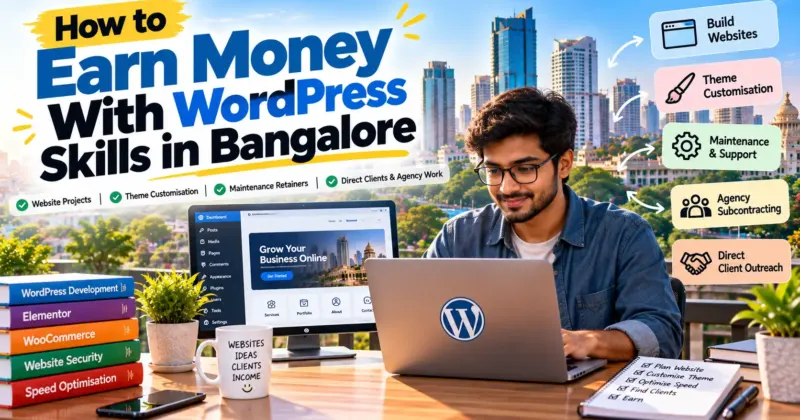
WordPress is still one of the most practical skills to monetise in Bangalore. Startups, agencies, clinics, restaurants, coaching centres, consultants and small online sellers all need websites that load fast, look professional and are easy to update. Many prefer to hire a freelancer for this instead of building a full in-house team.
This guide explains how to earn as a freelance WordPress developer in Bangalore: the services you can sell, the skills clients expect, how to find direct clients and agency work, how to price your services and what to do in your first week. It does not promise a fixed income. Your results depend on your skill level, your portfolio and how consistently you reach out.
Written by Agyatvyakti. Last updated: October 2026. Part of our guide on how to earn money in Bangalore with your skills.
Is Freelance WordPress Development a Good Option in Bangalore?
It can be, for several reasons:
- Constant demand for websites. New startups, small businesses and professionals across areas like Koramangala, HSR Layout, Indiranagar, Jayanagar and Whitefield need websites, landing pages and online stores.
- Agencies need extra hands. Marketing and design agencies often outsource website builds, theme work and fixes when they are busy.
- Remote-friendly work. You can serve clients in Bangalore, elsewhere in India or abroad from home or a coworking space.
- Recurring income is possible. Maintenance and support retainers can give you more predictable work than one-off projects.
The catch is competition. Searching for WordPress freelancers in Bangalore shows agencies, marketplaces and freelancer profiles all competing for the same clients. You stand out with a specific service, honest proof of your work and direct, relevant outreach, not by simply writing “WordPress developer” in your bio.
WordPress Services You Can Offer as a Freelancer
Website Projects
Build business websites for consultants, clinics, restaurants, coaching centres, salons and local service providers. Define a clear package, for example a five-page, mobile-friendly site with a contact form, basic on-page SEO and a short handover session, so the client knows exactly what they are buying.
Theme Customisation
Many clients already own a theme or a half-finished site and need it adjusted. This can include layout changes, child themes, header and footer changes, custom templates, converting a Figma or PSD design into a working theme, and styling with page builders such as Elementor or Divi, or with block themes and the block editor.
Maintenance Retainers
Offer a monthly plan covering core, theme and plugin updates, backups, uptime checks, security monitoring, small content edits and a short monthly report. Retainers are often the easiest way to turn one project into steady income, because a client who trusts your work is more likely to keep you on.
Speed, Security and Fix-It Work
Slow pages, broken layouts, plugin conflicts, hacked sites and failed updates are everyday problems. Fixing them is a good entry point, because clients with a problem tend to decide quickly.
WooCommerce and Small Online Stores
Set up product pages, payment gateways, shipping rules and order emails for small sellers and local brands. Only take on store builds when you are confident with checkout testing and payment configuration.
Migrations and Redesigns
Move a site to new hosting, rebuild an outdated site in WordPress or refresh navigation, mobile usability and page structure.
Skills Clients Expect
- WordPress fundamentals: installation, themes, plugins, users, settings, permalinks and the block editor.
- HTML, CSS and basic JavaScript: for layout fixes and customisation.
- PHP basics: useful for child themes, hooks and simple plugin or template changes.
- A page builder or block theme workflow: Elementor, Divi or native blocks, depending on what clients use.
- Performance and SEO basics: image optimisation, caching, clean markup and sensible heading structure.
- Security and backups: updates, safe plugin choices, restore procedures.
- Client communication: clear scopes, timelines and honest updates matter as much as the code.
How to Become a Freelance WordPress Developer in Bangalore
- Choose a starting service. For example, “WordPress websites for local clinics”, “maintenance for small business sites” or “Figma to WordPress for agencies”.
- Practise on real builds. Build your own site, a demo business site and one more project that includes a form, a blog and a mobile-friendly layout.
- Create a small portfolio. Two or three polished, clearly described projects are better than ten unfinished ones.
- Set up your own site. It should show your services, a few samples and an easy way to contact you. It is also your best proof that you can do the job.
- Package your services. Write what each package includes, how long it takes, what is not included and the price or price range.
- Start outreach. Contact agencies and local businesses with personalised messages.
- Deliver well and ask for referrals. One happy client can lead to several more.
How to Find Clients and Freelance WordPress Jobs in Bangalore
Direct Client Outreach
Look for businesses with clear website problems: slow loading, broken mobile layout, no contact form, outdated design or an expired security certificate. Verify the problem yourself before you write. Then send a short, specific message: what you noticed, what you would fix, one relevant sample and a simple next step, such as a 15-minute call. Google Maps, LinkedIn and local business directories are good places to build a prospect list. Focus on a niche, such as clinics, restaurants or coaching centres, so your samples and messages feel relevant.
Agency Subcontracting
Marketing, design and SEO agencies in Bangalore often need reliable WordPress help for client builds, theme changes and maintenance. Contact agency owners and project managers directly, explain exactly what you can handle and share two or three relevant samples. Agree on deliverables, deadlines, payment terms and who owns the final work before you start. Agencies value developers who communicate clearly and meet deadlines.
Freelance Platforms
Upwork, Fiverr and similar platforms can help you build a track record. Competition is high, so avoid generic proposals. Read the brief, mention a specific problem, and explain how you would approach it.
Job Boards and Contract Roles
If you want part-time, remote or contract work, search LinkedIn, Naukri, Indeed, Internshala and company career pages for terms such as “WordPress developer”, “Elementor developer” or “WooCommerce developer”. Many listings ask for experience with custom themes, performance optimisation or converting designs into WordPress themes, so build samples that show these skills.
Communities and Referrals
WordPress meetups, developer communities, coworking spaces and LinkedIn groups can lead to referrals. Help others first, then share your services. Tell friends, former colleagues and past clients exactly what you offer.
Be careful with anyone who asks for an upfront fee to “guarantee” a job or client. Verify any recruiter or platform independently before paying anything.
How to Price Your WordPress Services
Rates for WordPress developers in Bangalore vary widely depending on your experience, the complexity of the project, the client’s budget and whether you are working directly or through an agency. We have not published a single “market rate”, because the figures on profiles, marketplaces and salary aggregators are self-reported or averaged across very different roles. Work out your own prices like this:
- Check live examples. Look at current freelance listings, job postings and competitor packages for the same type of work.
- Price by package where possible. Fixed packages for small websites make it easier for clients to say yes and for you to control scope.
- Use hourly rates for uncertain work. Debugging, custom changes and support are harder to scope in advance.
- Charge monthly for maintenance. Define exactly what is included, such as updates, backups, uptime checks and a set number of small edits.
- Account for your costs. Premium themes or plugins you pay for, hosting, tools, platform fees, taxes and time spent on revisions.
- Raise prices over time. Increase rates for new clients as your portfolio and results improve.
Always put the scope, price, payment schedule, revision limit and ownership terms in writing before starting work.
Get the Business Basics Right
- Scope and revisions: list what is included and how many rounds of changes you will do.
- Payments: consider taking part of the fee upfront and the rest on delivery, especially with new clients.
- Hosting and access: agree who pays for hosting, domain and premium plugins, and who holds the logins.
- Licences: use properly licensed themes and plugins, and check licence terms for client use.
- Backups: take a full backup before changing a live site.
- Handover: give the client a short guide or video on how to update their site.
- Taxes: check what applies to freelance income in your situation and consider speaking to a qualified accountant.
Build a WordPress Portfolio With No Clients Yet
- Your own site: use it to show your work, speed and design sense.
- Demo business sites: build realistic sites for fictional or clearly labelled demo clinics, restaurants or consultants, and label them as demos.
- Before-and-after fixes: improve a slow or badly laid-out demo site and document what you changed and how performance improved, with real measurements.
- Discounted first project: offer a limited-scope site to someone you know in exchange for feedback and a testimonial.
Never fake client names, testimonials or results. Clients can check, and trust is hard to rebuild.
Tools to Start With
- Local development: a local WordPress setup for testing before you touch client sites.
- Page builder or block editor workflow: Elementor, Divi or native blocks, depending on your niche.
- Backup and migration plugin: for safe restores and site moves.
- Performance tools: page speed testing tools and an image optimisation workflow.
- Project and client tracking: a simple spreadsheet or Notion board for prospects, projects and invoices.
Mistakes to Avoid
- Taking on work beyond your skill. Be honest about what you can deliver, especially with security, payments and integrations.
- Editing a live site without a backup. One bad update can take a site down.
- Starting without a written scope. This is the usual cause of unpaid extra work and disputes.
- Using pirated or “nulled” themes and plugins. They are unsafe, can contain malware and are a legal risk for your client.
- Ignoring maintenance. It is often the most reliable income, so offer it at handover.
- Waiting for clients to find you. Direct outreach and agency contacts usually work faster than waiting on a profile.
7-Day Starter Plan
| Day | Action | Result |
|---|---|---|
| Day 1 | Choose a starting service and a niche (for example local clinics or agency overflow) | A clear offer |
| Day 2 | Set up a local WordPress environment and start a demo site | A working demo |
| Day 3 | Finish the demo with a contact form, mobile layout and basic SEO | First portfolio piece |
| Day 4 | Create your own one-page site and write your packages | A public profile and offer |
| Day 5 | Build a list of 10 prospects: local businesses and agencies | A prospect list |
| Day 6 | Send personalised messages | A record of outreach |
| Day 7 | Follow up, review replies and refine your packages | A plan for week two |
This plan does not guarantee income within a week. It gets you from practising to real conversations with potential clients.
Frequently Asked Questions
How much do freelance WordPress developers earn in Bangalore?
It varies widely with experience, project type, client budget and how steadily you find work. Check current freelance listings, job postings and competitor packages for your experience level before setting prices, and treat any single income figure with caution.
Can a fresher become a freelance WordPress developer in Bangalore?
Yes, if you can show working projects. Build demo sites, learn the fundamentals properly and start with small tasks such as fixes and simple business sites while you gain experience.
Do I need to know PHP to freelance with WordPress?
Not for every project, since many client sites rely on themes, page builders and plugins. PHP, however, helps you with child themes, custom templates, hooks and troubleshooting, and it widens the work you can take on.
Is it better to work with agencies or direct clients?
Both can work. Agencies can bring steady work with less sales effort, but you may earn less per project. Direct clients usually let you set your own prices and build long-term relationships, but you handle sales and support yourself. Many freelancers do both.
How do I find my first WordPress client?
Build a demo site, pick a niche, shortlist local businesses or agencies with a clear need, and send personalised messages. Referrals from people you know and relevant communities can also help.
Should I offer maintenance plans?
Yes, once you can handle updates, backups and basic troubleshooting reliably. Maintenance gives you recurring work and keeps you involved when clients need new features later.
Final Thoughts
To earn as a freelance WordPress developer in Bangalore, start with one clear service, build honest proof, contact real prospects consistently and offer maintenance so one project can become ongoing work.
If you also have other skills, read our overview of earning money in Bangalore with your skills, or explore digital marketing and tutoring.